
Codebase Intelligence
Codebase Intelligence (CI) captures the complete development story behind AI-written code. Every plan, decision, gotcha, and trade-off is recorded as your agents work — creating a semantically rich history that goes far beyond what git blame or commit messages could ever tell you.
The Problem
Section titled “The Problem”When AI agents build your software, the most valuable part of the process isn’t the code — it’s the reasoning. Why was this approach chosen over alternatives? What gotchas were discovered? What architectural trade-offs were made? All of that context lives in agent sessions that vanish when the conversation ends.
Git captures what changed. OAK captures why, how, and what was learned along the way.
How CI Works
Section titled “How CI Works”Codebase Intelligence runs as a lightweight local daemon that provides four interconnected capabilities:
1. The Development Record
Section titled “1. The Development Record”CI automatically captures the full lifecycle of every agent session — prompts, tool executions, plans, AI summaries, and outcomes. In the background, an LLM classifies these activities and extracts observations: gotchas, decisions, discoveries, bug fixes, and trade-offs. These become your project’s persistent memory.
- Gotchas: “The auth module requires Redis to be running.”
- Decisions: “We chose SQLite over Postgres for simplicity.”
- Trade-offs: “Sacrificed write throughput for read latency in the caching layer.”
This is the development context that no one writes down but everyone wishes they had six months later.
2. Semantic Code Search
Section titled “2. Semantic Code Search”The daemon maintains a real-time vector index of your codebase using AST-aware chunking (via tree-sitter across 13 languages). Agents find code by concept rather than keyword — “where is the authentication middleware?” finds the right file even if it’s named differently, based on its semantic function.
3. Proactive Context Injection
Section titled “3. Proactive Context Injection”CI doesn’t wait for you to ask. It integrates directly with your agent’s workflow through hooks:
- Session Start: Injects project context and relevant memories before the agent begins.
- Pre-Prompt: Surfaces related code and past learnings before each prompt.
- Post-Tool: Analyzes file operations to provide file-specific memories and capture new activities.
- Session End: Summarizes the entire session and extracts observations for long-term memory.
The result: agents that remember what your team has learned, across every session and every engineer.
4. Agent Skills
Section titled “4. Agent Skills”OAK extends your agent’s capabilities through Skills — slash commands that leverage CI’s knowledge base for tasks like finding related code, analyzing change impacts, creating RFCs, and establishing project standards.
The Dashboard
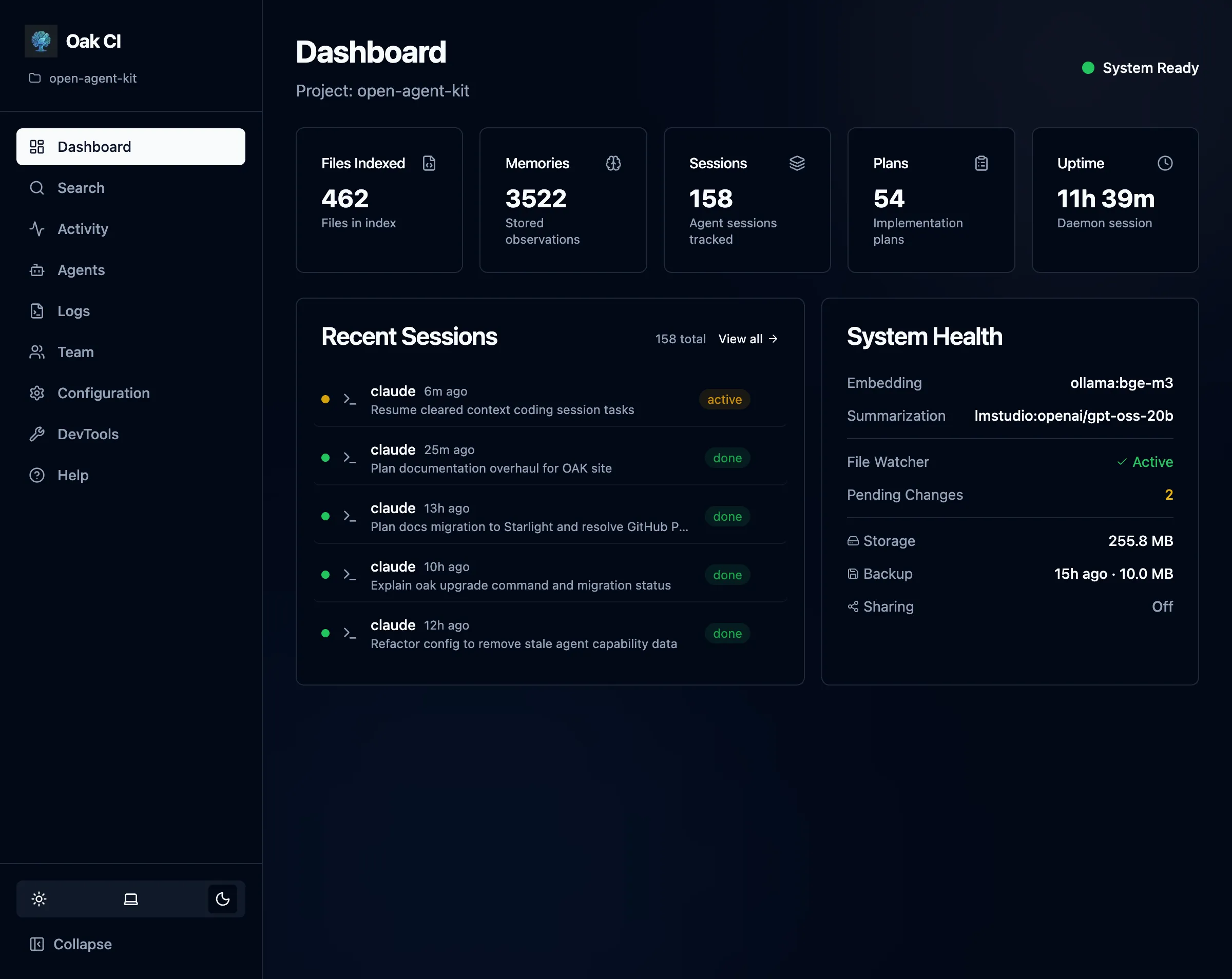
Section titled “The Dashboard”After setup, the Dashboard is your primary interface. Use it to search your codebase, browse agent sessions, manage memories, configure settings, and more — all from your browser.
Architecture
Section titled “Architecture”Supported Agents
Section titled “Supported Agents”| Agent | Context Injection | Activity Capture | Integration Method |
|---|---|---|---|
| Claude Code | Session + Prompt + Post-tool | Yes | settings.json hooks |
| Gemini CLI | Session + Prompt + Post-tool | Yes | settings.json hooks |
| Cursor | Session + Prompt + Post-tool | Yes | .cursor/hooks.json |
| OpenCode | Session + Prompt + Post-tool | Yes | TypeScript plugin (oak-ci.ts) |
| Windsurf | Prompt only | Yes | .windsurf/hooks.json |
| Codex CLI | Via OpenTelemetry | Yes | OTLP log events & Notify |
| GitHub Copilot | None (cloud-only hooks) | No | .github/hooks/hooks.json |
Context injection is what makes CI proactive — it automatically surfaces relevant memories and code search results into your agent’s context. Agents with Session + Prompt + Post-tool injection get the richest experience: context at session start, before each prompt, and after file operations. Agents with Prompt only receive context before each prompt but not at session start.